

Ombrulla Logo
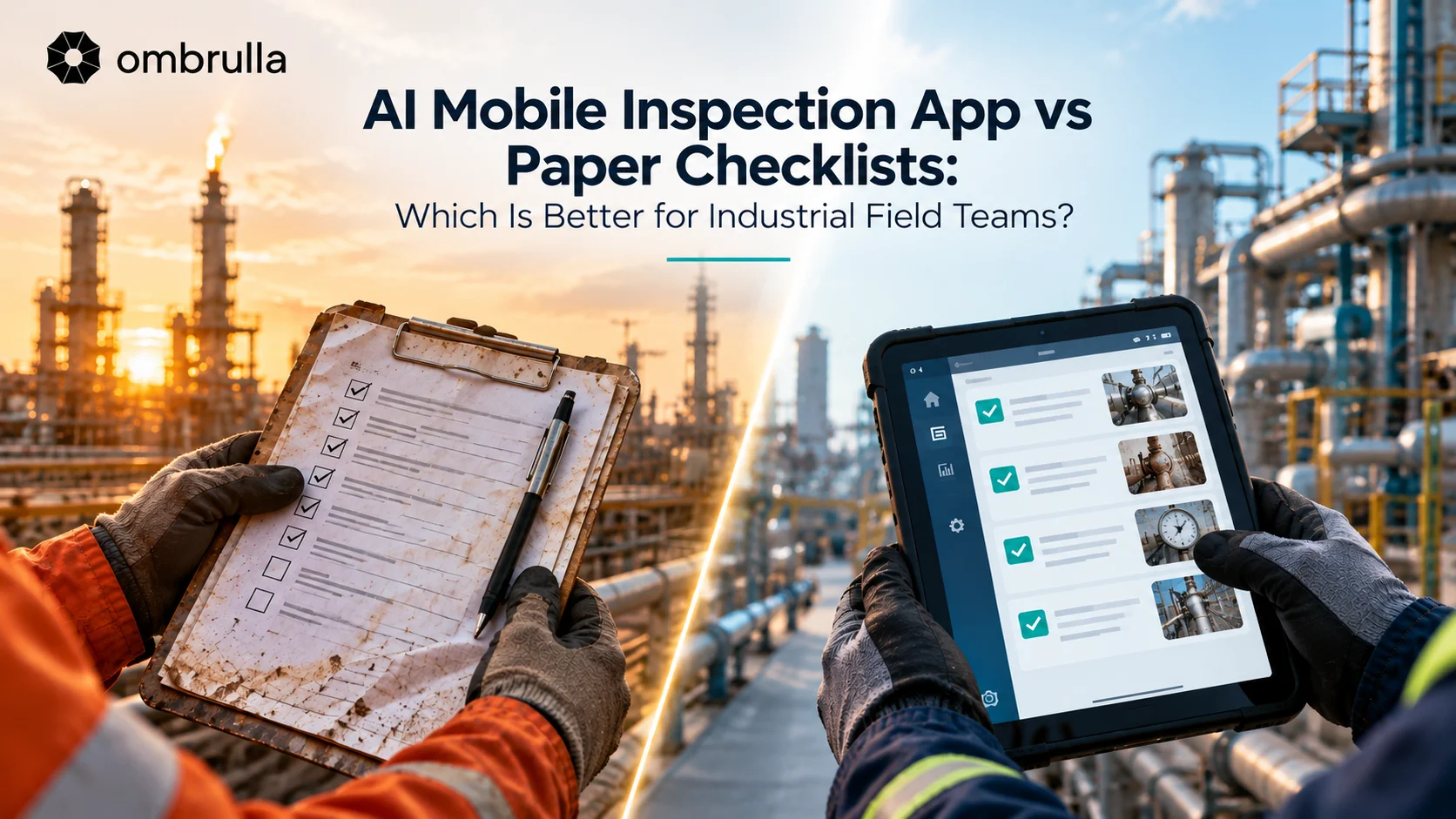
Split-screen comparison showing field engineer with paper checklist on left and AI mobile inspection app on tablet on right at industrial facility

AI Mobile Inspection App vs Paper Checklists: Which Is Better for Industrial Field Teams?

Zara Elizabeth - Business Development Associate - Ombrulla

Business Development Associate

June 17, 2026

Compare AI mobile inspection apps and paper checklists across speed, accuracy, and audit readiness. A practical guide for oil & gas, manufacturing, automotive, and infrastructure field teams deciding whether to go digital.
Introduction

Introduction

Ask a field supervisor in oil and gas, manufacturing, automotive, or infrastructure how inspections get recorded, and there's a good chance the answer still involves a clipboard. Paper checklists remain remarkably persistent in industrial field inspection - not because anyone believes they're the best option, but because switching has real friction: training, device costs, connectivity concerns at remote sites, and a workforce that already knows the current process.

Industrial inspector in PPE checking a rugged tablet running a mobile inspection app at a refinery.

This comparison looks at what actually changes, and by how much, when a field team moves from paper checklists to an AI-powered mobile inspection app - not a computer-vision system that detects defects automatically, but a digital tool that makes the human inspector's own process faster, more consistent, and easier to audit. That's a different decision from choosing a drone, rover, or fixed AI camera system; those tools capture and analyse visual data automatically, while a mobile inspection app supports the person still doing the walkdown.

For senior leaders weighing whether this is worth the change-management effort, the honest answer depends on inspection volume, site connectivity, and how much value your organization gets from searchable historical inspection data. This guide covers what changes, what doesn't, and how to think about the switch.

What Is an AI Mobile Inspection App?

Quick answer: An AI mobile inspection app is software, typically running on a smartphone or tablet, that replaces a paper checklist with a digital form for field inspectors. It adds structured data entry, photo and video capture, GPS geotagging, and offline data collection, and increasingly includes AI-assisted features such as automatic photo tagging, voice-to-text notes, and adaptive checklist logic. It digitizes the inspector's own workflow - it does not replace the inspector or perform automated visual defect detection on its own.

This is a genuinely different category from an AI visual inspection system (drones, fixed cameras, or rovers using computer vision to automatically detect defects) or predictive maintenance software (APM) that analyzes sensor data to forecast failure. A mobile inspection app sits underneath both: it's how a human inspector's findings get captured in a structured, digital format in the first place.

Why Paper Checklists Persist

  • -
    Zero marginal cost per form:No software license or new device investment required beyond what's already on hand.
  • -
    Familiarity:Inspectors who have used the same paper checklist for years need no retraining.
  • -
    Works anywhere:No battery, signal, or device failure risk in extreme or remote environments.
  • -
    Perceived simplicity:For very low-volume or informal inspections, a full app can feel like overkill.
  • -
    Past bad experiences:A poorly chosen or clunky app can set back digital adoption for years and reinforce a preference for paper.

Digital Inspection vs Paper Checklists: Head-to-Head Comparison
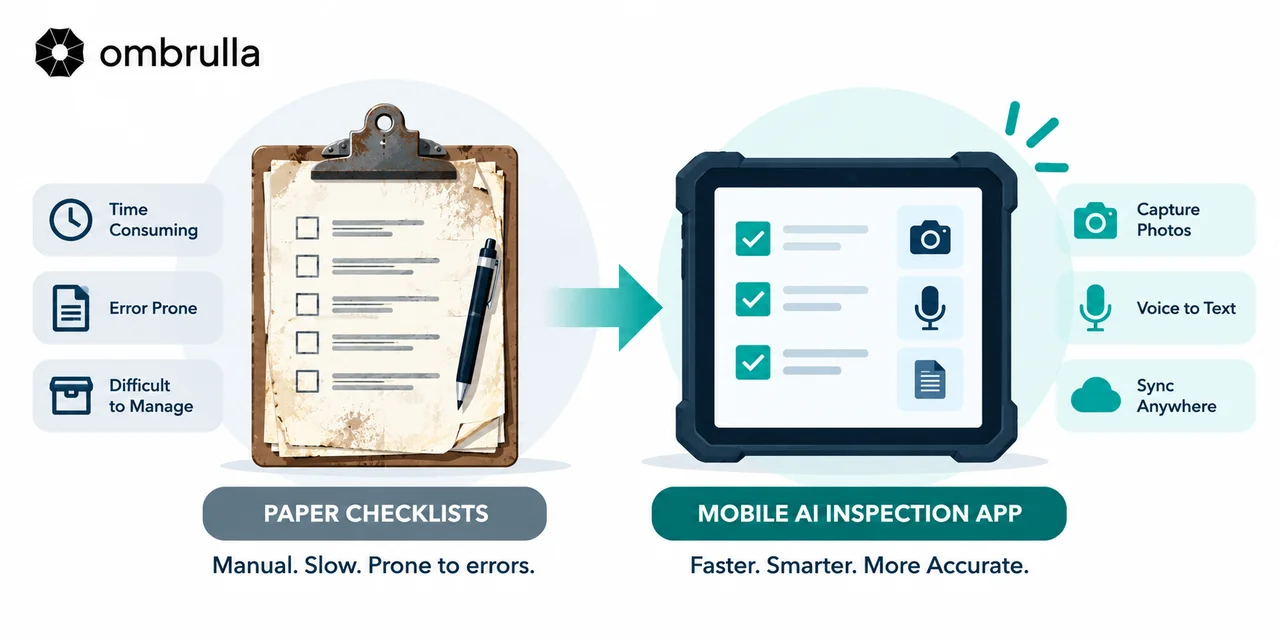
Infographic comparing paper checklists (manual, slow, prone to errors) with a mobile AI inspection app (faster, smarter, more accurate).
DimensionPaper ChecklistsAI Mobile Inspection App
Data entry speedSlower - handwriting, often re-transcribed laterFaster - structured fields, dropdowns, auto-timestamps
Error / legibilityHandwriting errors, illegible or incomplete notesStructured input and required fields reduce entry errors
SearchabilityPoor - filed in binders or scanned as static imagesHigh - searchable, filterable digital records
Real-time visibilityNone until forms are manually collectedImmediate - findings visible to management as submitted
Audit / compliance trailManual, easy to lose or misplaceAutomatic, timestamped, and geotagged
Offline capabilityAlways works, no dependencyDepends on the app - the best sync automatically once reconnected
Photo / evidence captureRequires a separate camera and manual attachmentBuilt-in and automatically linked to the checklist item

What Makes a Mobile Inspection App "AI-Powered"?
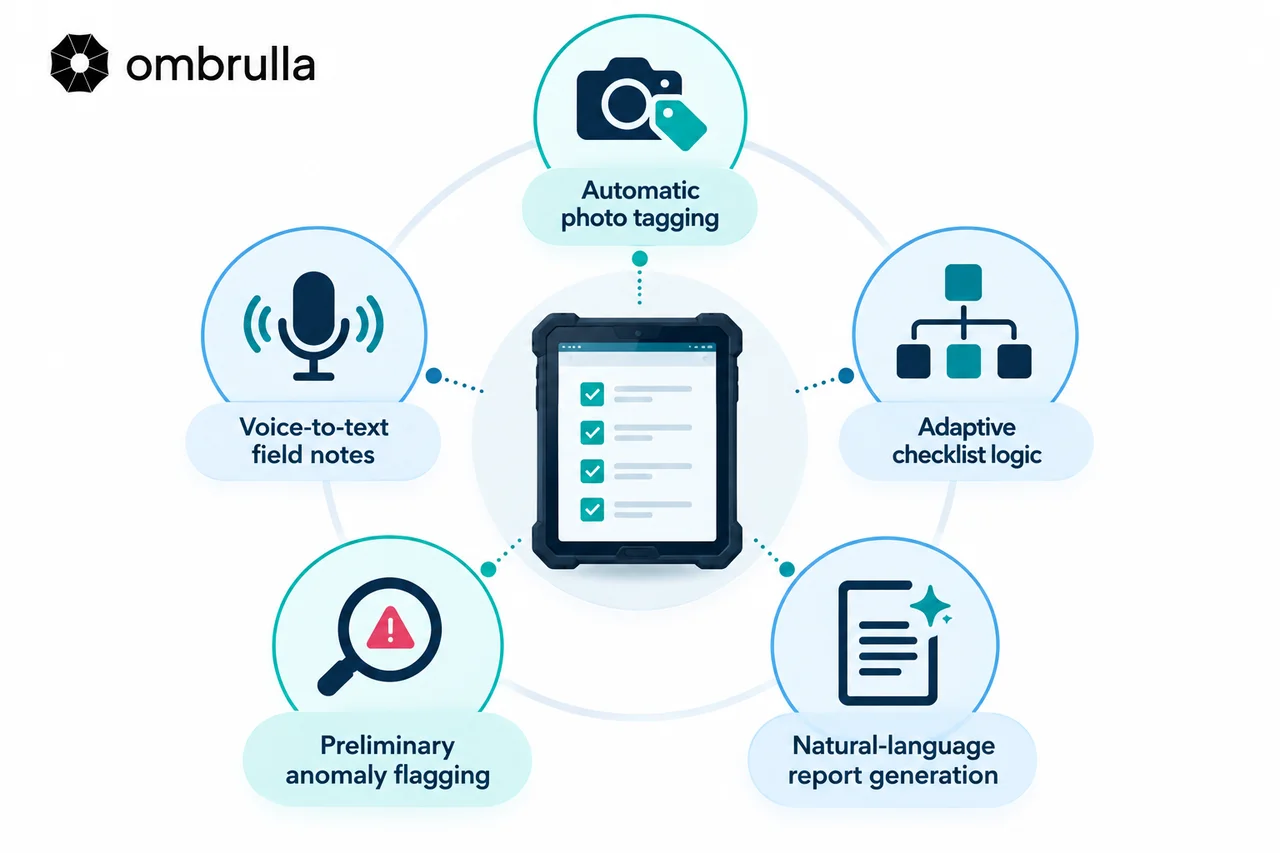
Infographic of five AI-powered mobile inspection app features: automatic photo tagging, voice-to-text field notes, adaptive checklist logic, preliminary anomaly flagging, and natural-language report generation.

Not every "digital inspection" app uses AI - many are simply digitized paper forms. The dividing line worth asking vendors about directly is whether the app includes:

  • -
    Automatic photo tagging:AI sorts and labels photos to the relevant checklist item or defect category automatically.
  • -
    Voice-to-text field notes:Inspectors dictate observations hands-free - especially useful in gloved or PPE-heavy environments.
  • -
    Adaptive checklist logic:Follow-up questions or additional checks surface automatically based on a flagged answer.
  • -
    Preliminary anomaly flagging:Lightweight computer vision applied to a photo flags a likely defect for review, without replacing a full AI visual inspection system.
  • -
    Natural-language report generation:A plain-language inspection summary is drafted automatically from structured entries.

Industrial Field Inspection: What Changes by Industry
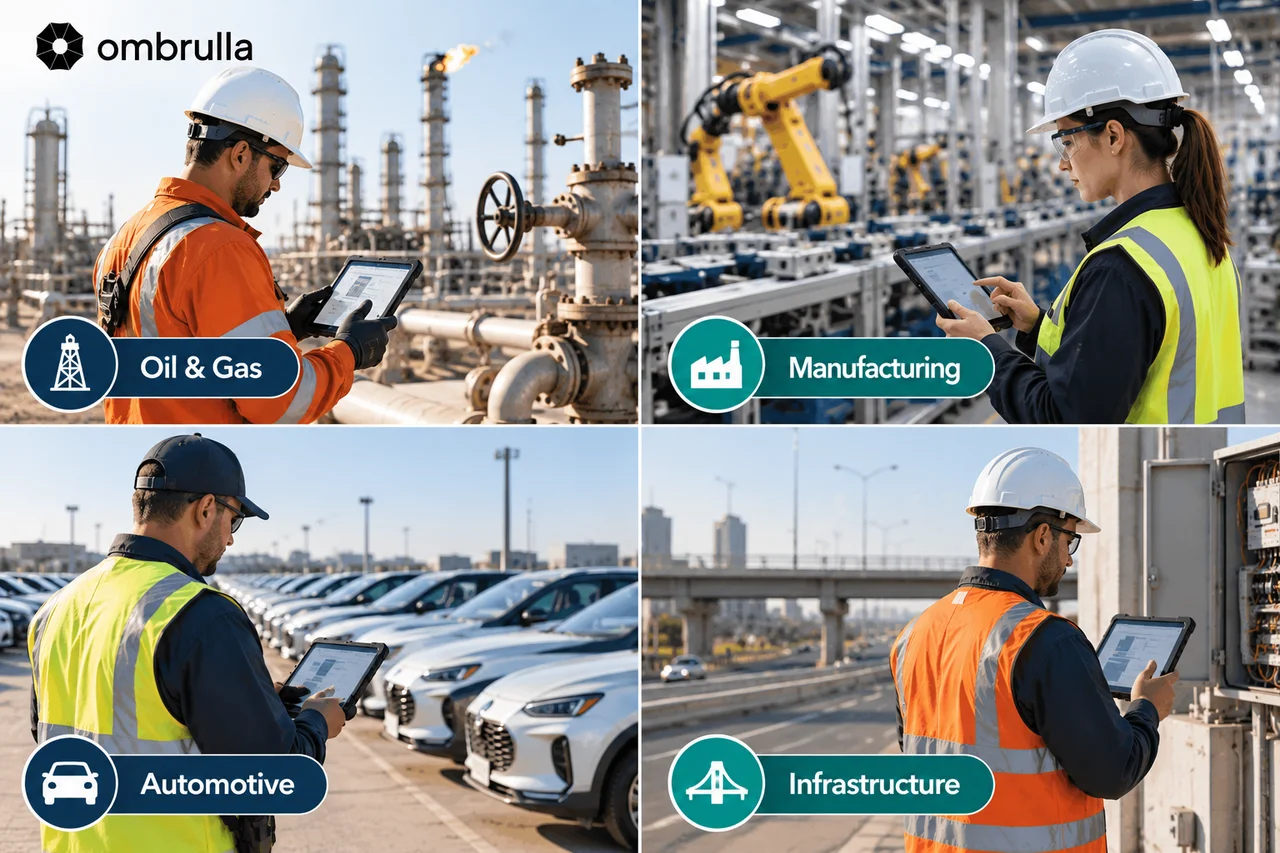
Four-panel collage showing field inspectors using mobile inspection tablets across oil and gas, manufacturing, automotive, and infrastructure sites.
  • -
    Oil & gas:Field technicians conducting routine walkdowns on wellheads, valves, and tank farms need offline capability and hazardous-area device certification most.
  • -
    Manufacturing:Line and floor inspections benefit more from speed and MES/QMS integration than from offline capability.
  • -
    Automotive:High-volume plant and yard audits, and pre-delivery vehicle checks, benefit heavily from structured, searchable records.
  • -
    Infrastructure:Bridge, road, and utility field crews rely on GPS geotagging and photo evidence for regulatory reporting.

Field Team Efficiency: The Metrics That Actually Move

  • -
    Time per inspection:Structured digital entry typically reduces per-inspection time once inspectors are trained on the new workflow.
  • -
    Time to report / audit readiness:Digital records are available immediately, versus days or weeks to manually collate paper forms.
  • -
    Rework and error rate:Required-field validation and structured inputs reduce incomplete or illegible submissions.
  • -
    Inspector onboarding time:Guided digital checklists can be faster to learn than memorizing a paper format and its shorthand.

Limitations of Mobile Inspection Apps

  • -
    Still relies entirely on human judgment and coverage:A mobile app doesn't catch what an inspector doesn't check, unlike a computer-vision-based system.
  • -
    Device and connectivity dependency:In remote or hazardous-area sites without reliable signal or charging infrastructure.
  • -
    No automated visual defect detection:That capability requires a true AI visual inspection system, not a digital form.
  • -
    Adoption resistance:A poorly chosen or clunky app can be worse for morale and data quality than the paper process it replaces.
  • -
    Upfront training and change management cost:Even a well-designed app requires a deliberate rollout, not just a download.

Making the Switch: A Practical Rollout Path
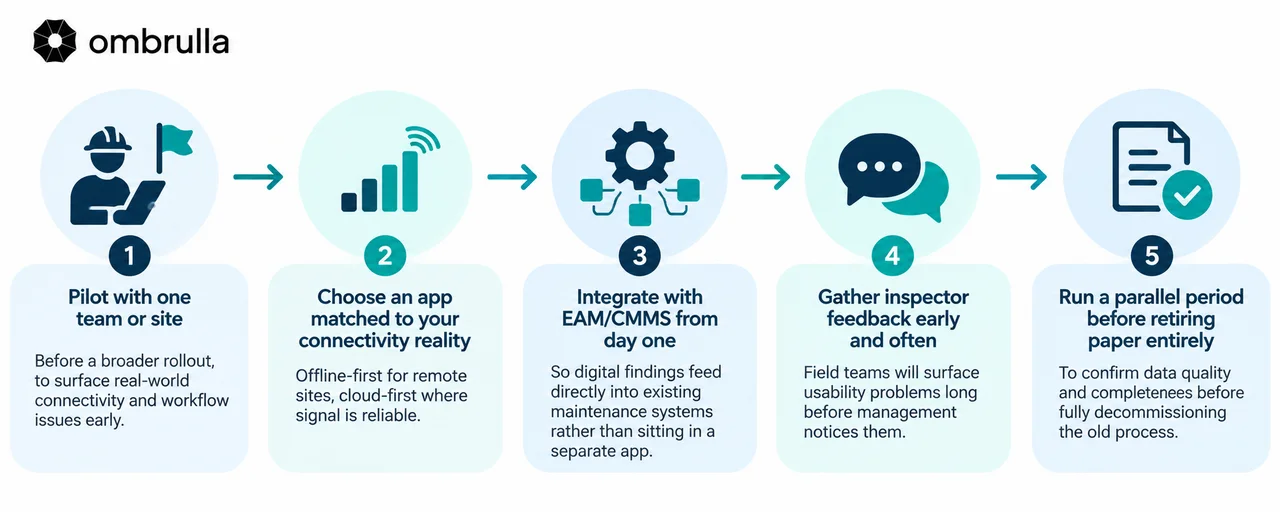
Five-step infographic for rolling out a mobile inspection app: pilot with one team, match the app to connectivity, integrate EAM/CMMS, gather inspector feedback, then run a parallel period before retiring paper.
  • -
    Pilot with one team or site:Before a broader rollout, to surface real-world connectivity and workflow issues early.
  • -
    Choose an app matched to your connectivity reality:Offline-first for remote sites, cloud-first where signal is reliable.
  • -
    Integrate with EAM/CMMS from day one:So digital findings feed directly into existing maintenance systems rather than sitting in a separate app.
  • -
    Gather inspector feedback early and often:Field teams will surface usability problems long before management notices them.
  • -
    Run a parallel period before retiring paper entirely:To confirm data quality and completeness before fully decommissioning the old process.

Where This Fits Into a Broader AI Inspection Strategy

A mobile inspection app is often the first step in a broader digital inspection strategy, not the final one. Once field findings are captured digitally and consistently, that same data infrastructure makes it far easier to layer in true AI-powered visual inspection - drones, rovers, or fixed cameras - for the assets where automated, continuous monitoring makes more sense than a periodic human walkdown.

Ombrulla's platform is built to extend naturally from this stage: many organizations start by digitizing field checklists, then progressively add AI-powered visual inspection for high-risk or hard-to-access assets, with both data streams flowing into the same integrated system. If you're further along that path already, our AI visual inspection system buying guide and predictive maintenance software guide cover the next two decisions in more depth.

Conclusion

For most industrial field teams, the switch from paper to a well-chosen AI mobile inspection app pays off in searchability, audit readiness, and reduced rework - but it doesn't eliminate the human judgment paper-based inspection already depends on, and it isn't a substitute for AI-powered visual defect detection where that's genuinely needed. The right question isn't "paper or app" in the abstract; it's whether your inspection volume, site connectivity, and compliance requirements justify the change-management effort a good rollout requires.

If your organization is still running inspections on paper and considering the switch, Ombrulla's team can help you think through where a mobile inspection app fits into a longer-term inspection strategy - including what to prioritize if AI-powered visual inspection is a future step, not just this one.

Start With Your Field Data - Build Toward Full AI Inspection

Digitizing your field checklists is a strong first step, and it sets up everything that comes after it. Ombrulla can help you plan a rollout that starts with mobile inspection data capture and scales naturally into AI-powered visual inspection for the assets that need it most.

Talk to Our Inspection Strategy Team

Frequently Asked Questions

What is an AI mobile inspection app?

It's software, usually on a smartphone or tablet, that replaces a paper checklist with a structured digital form for field inspectors, often adding photo capture, GPS geotagging, offline data collection, and AI-assisted features like voice-to-text notes or automatic photo tagging.

Is a digital inspection app the same as an AI visual inspection system?

No. A mobile inspection app digitizes a human inspector's own workflow. An AI visual inspection system - a drone, rover, or fixed camera - uses computer vision to automatically detect defects without a person reviewing every image. They're complementary, not the same technology.

What are the main benefits of switching from paper checklists to a mobile inspection app?

The most consistent gains are searchable historical records, immediate visibility for management, a reliable timestamped audit trail, and fewer errors from illegible handwriting or incomplete forms.

Do mobile inspection apps work without an internet connection?

Many do, but not all - offline capability varies by app. For remote or low-connectivity sites, confirm the app captures data offline and syncs automatically once a connection is available, rather than requiring continuous connectivity.

How long does it take to roll out a mobile inspection app to a field team?

A single-team or single-site pilot can typically launch within a few weeks. A full rollout, including a parallel-run period alongside paper before fully retiring it, often takes a few months depending on team size and site count.

Can a mobile inspection app replace a certified human inspector?

No. A mobile inspection app only changes how findings are recorded - it doesn't perform the inspection itself. Certified human judgment, and in many cases regulatory sign-off, is still required regardless of the tool used to capture the data.

Is it worth switching from paper checklists for a small inspection program?

It depends on inspection volume and compliance needs. Very small, informal inspection programs may see limited return relative to the change-management effort, while programs with meaningful volume, multiple sites, or regulatory audit requirements typically see faster payback from searchable digital records.